All Courses
Welcome to American Stone! This course introduces our company and shows you how to manage your personal information in Odoo as a portal user. You’ll learn to sign documents electronically, access payslips and timesheets, and keep your contact details current so important forms—like your W-2—always reach you.
Learn the benefits that support you and the products that define us. We’ll cover health plans, retirement, discounts, and more—plus stone types, finishes, tools, and vendor training—so you can make the most of your perks and confidently represent American Stone.
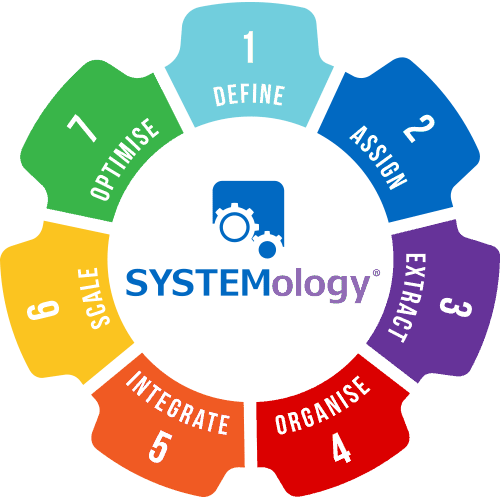
Systemology is a step-by-step method for building and improving the systems that keep our business running. You’ll move through seven stages—from defining and assigning to integrating, scaling, and optimizing—while learning to document processes, assign responsibilities, and use tools like Scribe, Loom, and Odoo to keep everything connected.
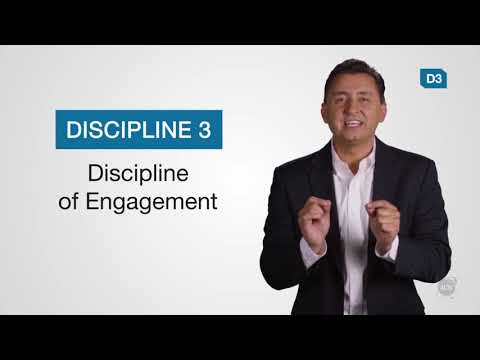
See how Marriott used The 4 Disciplines of Execution to focus on and execute their most wildly important goals while increasing their engagement. To learn more, visit: http://www.franklincovey.com/execution/ Connect with Franklin Covey on Twitter: https://twitter.com/franklincovey Connect with Franklin Covey on LinkedIn: https://www.linkedin.com/company/franklincovey Franklin Covey is a global company specializing in performance improvement. They help organizations achieve results that require a change in human behavior.
SL & SN:
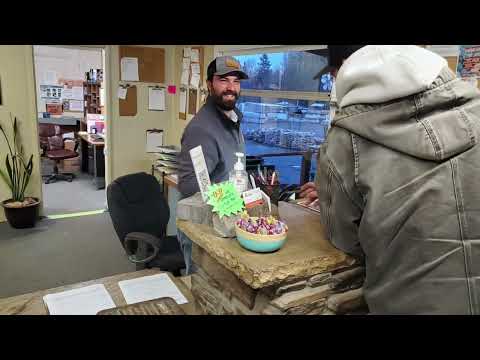
General Cashier Responsibilities
- Be friendly with the customers–try to get reviews on Google
- Restock and organize shelves with any tools, weed barrier pins, SB products, etc.
- Give incoming mail to the designated people
- Dust/wipe down work space (front desk) and store area
- The Scale book is the main priority (description of vehicle, weight, AND product)
Opening Cashier Responsibilities
- Open the store and a new POS session in Odoo
- Make sure the cash is equaled out to $200 and record it on the Daily Cash Report
- Put the new date on the scale book every day (if not done the night before)
- Clean up any messes and organize the workspace and store area
- Check the Delivery Schedule- if there is a delivery make sure that things are ready and it is good to go out.
- Take out trash if need be.
Closing Cashier Responsibilities
- Scan and attach any Sales Orders along with Delivery Request Forms that haven’t already been done
- Restock the fridge and any products on the shelves
- Clean up any messes and organize the workspace and store area
- Count the cash and record it on the Daily Cash Report, print out a copy of that along with two Bank Deposit Slips to put into GM drawer (2nd copy of Bank Deposit Slip goes in the deposit bag w/ the cash that’s being deposited)
- Make sure all the money gets back IN the safe and lock it
- Close the POS session in Odoo
VC:
Cashier Daily/Weekly Responsibilities
- Open the store and POS, making sure the cash is equaled out to $200
- Put the new date on the scale book each day
- Clean up any messes, organize and clean/wipe down the workspace for the day.
- Utilizing the scalebook for all incoming and outgoing products
- Check your personal and vccashier emails for the day
- Check your personal, vccashier and lucid calendars for the day and the week
- Check the Delivery Schedule- if there is a delivery make sure that things are ready and it is good to go out.
- Add new dated sheet to delivery boards.
- Organize daily delivery sheets with deliveries into the basket.
- Other daily filing as needed.
- Check your incoming PO’s board for orders incoming and follow ups.
- Check “To Pull” board for daily updates and to do’s.
- Check the physical mail daily in the afternoon
- Scan in Daily Deposit papers and add to statements in Odoo
- Scanning and attaching of receiving documents to PO’s
- Complete any other scanning or copying as needed.
- Stock shelves with backstock, weed barrier pins, SB products, Aquascapes etc.
- Price checks and updates
- Make new price signs as needed indoors and outdoors
- Daily Customer call list
- Daily Reseller checks
- Check white board list in conference room for other tasks to complete
- Close up store and POS, lock everything.
- Daily bank deposits
- Refer to the daily/weekly cleaning schedule and complete
- Keep track of items that need to be re-ordered.
- Office and cleaning supply checks and tracking.
- Organizing the Cashier computer’s desktop, sort and organize into labeled and dated folders.
During the winter months, we will continue to experience a downshift in customer count. Along with your daily responsibilities that do not change no matter what the customer flow is, you are finally going to have a bit of time to get organized, educated, and better prepared for high season next year.
First and foremost, check in with your manager: what are their priorities? Make sure you partner with your managers to ensure that the things they’ve been tasked to manage that you can help with are at the top of your list.
Run through the contractor customer list and check on reseller permits. Are they expiring within the next few months, the business has been notified by the state to renew, and typically they will have their new one well before the old one expires. Request an updated permit, thank them for their business and invite back, then log a call!
Deep clean your workspace. This includes old or disorganized files and file cabinets, under desks, in cabinets- get all the nooks and crannies of things that have piled up over the year, things that have been taped down can be scraped up and replaced, windows, surfaces, etc can be washed and areas labeled, organized and tossed if irrelevant.
Make sure you partner with management before eliminating old filing, these are stored elsewhere for a specific amount of time, but purging does need to happen.
American Stone has loads to learn about, from products to sales to installation. Make the best use of your time to learn as much as you can so you can speak confidently about all our products and services. We also have policies and procedures that are stone business specific, company rules and regulations, Odoo how-to’s and so much more.
Pricing audits are so important. Is your showroom price signed? With our prices changing all the time, frequent price audits are important, they are a small promise we make to our customers, and if they aren’t right, it feels misleading.
Decorate for the holidays- well, of course. Tis the season. Nothing says festive, inviting and family like Holiday Decor. Partner with your manager to get this planned, it’s coming sooner than you think- Also, Marketing has another contest planned for holiday decor.
Run your top 100 and bottom 100 customer lists. Call the tops and thank them for their business. Call the bottom 100, and let them know we miss them. Partner with your salespeople to schedule site visits on their behalf and put in any opportunities in the system.
Odoo Clean Up There's never a better time than winter to ensure all the SO’s are in done status, the customer invoices are paid up on time, and the customers with credit have up-to-date documents on file.
Organize your computer! Review all the scans and downloads, the forms on your desktop and in your personal drive. Make labeled folders for easy accessibility, and ditch what you don’t use, is outdated, or irrelevant. You can do this in your email as well! Make folders for customer information, vendor information, American Stone information and whatever else you may need. Trash all the old, unnecessary, spam and clutter.
Update any forms, lists and logs you use. If you see standard forms that need updates, contact Human Resources about doing an update. Our business is changing and growing every year. Updating our forms to keep them relevant and attractive lends professionalism to our brand.
At the end of the year, we prepare Christmas Cards for mailing out and decorate the store.
Abbreviations & Dept Code:
LTA = Lon Thomas & Associates Inc
SSQ = Star Stone Quarries, Inc
AMS= American Stone Sales, Inc
LTF = Lon & Bev Thomas Family LLP
SSS = Star Stone Sales, LLC
SMP = Stone Mountain Properties, LLC
TPG = The Platinum Group, LLC DBA American Stone Leasing
SMM = Stone Mountain Management, LLC
SL= Salt Lake City 7000
SN = Sunset 2000
MY= Moulton Yard
HB = Heber
OSS = Oakley Saw Shop
VC = Vancouver 4000
Sales Definitions: Season '24 (year): Season ‘24 is from April 1, 2024 to March 31. 2025 as an example.
Commissionable Sale: A transferred sale with an invoice paid, and applied/reconciled before 30 days late.
Expired Sale: A transferred sale with no payment applied more than 30 days late.
Pipeline Bonus: Paid out quarterly upon meeting the corresponding
Bonus Tier quotas. Explained in further detail below.
Pipeline bonus quotas are subject to being readjusted quarterly.
Action Selling Certification Bonus: an additional $200, given every 3 years.
Gross Margin: Sales dollars before tax minus (-) cost of goods sold (COGS).
Salesperson: Title given to an employee who works hourly on our Inbound Sales Plan Sales Professional:
Title given to Action Selling Certified in the last 3 years, salaried (exempt), sales employees on the Outbound Sales Plan.
Out-going Call: A logged call in Odoo with "Done" status in the Outbound category.
Outside Job-site Visit: A visit that’s logged in Odoo in "Done" status.
Quote: Any quote you have created and entered into Odoo, and delivered to the decision-maker.
Gross Sales: All Pre-tax Star Stone and American Stone Sales credited to you.
Definitions and Terminology:
Odoo: POS vs Personal: Gmail & Google Drive: Primary work related email and storage for Company documents
Types and stages of orders: POS: Quote: SO: Invoice: Drop shipping: Scalebook: In the Google Drive,
Store Cash count sheet: Sheet that we fill out at open and close to make sure the till is even after taking out cash deposits.
Supplier invoice: A document sent by a vendor/supplier to a buyer requesting payment for goods or services.
Clearing Statement: Matching payments made in Odoo to TSYS payments or cash and validating when difference is zero. (code 681 for cash over or short)
Bank Statement: A summary of account activity over a certain period of time. Ex: Vancouver Cash, Genius TSYS VC etc.
CC Statement: A summary of credit activity or how it’s been used, including transactions, applicable fees, and interest charges. Your manager's company CC.
Loan rec: A supplier invoice between companies also an Accounting function.
Purchase Order: A way to fill stock items from our vendors to our stores.
Receiving: Documenting that our Purchase Order has been fulfilled and the amount of product we received. Shipping documents:
BOL: Bill of Lading Opportunity vs Lead: Manufacturing order: Internal move:

1. Verify that everything was done from the prior closing shift. If it's not been done, you are responsible for completing these tasks.
2. Open the front door; unlock the back door
3. Check bathrooms are stocked and that the store is presentable to customers.
4. Clean up any messes, organize and clean up the workspace.
5. Log into Odoo.
6. Get money from the safe.
7. Open a new session in Point of Sale
8. Open “Daily Cash Report” on your computer's Desktop
9. Erase the previous days totals. Erase the CC sales, Total and Batch #.
10. Click here. Start counting your till. Add the correct #'s to each denomination as you move your money into the till for the day.
11. Print, hit next
12. In the point of sale session, enter your money count, then click "Validate" and "Open Session."
13. Check the Delivery Schedule- if there is a delivery make sure that things are ready and it is good to go out.
14. Open the correct Scalebook corresponding with your store and the year: e.g. SL ScaleBook 2022) from Google drive, locate the “Scalebook” and “Inscale” page tabs for the current month, e.g. “November Scalebook 2022” and “November Inscale 2022.”
15. Put the new date on the scalebook each day,
More Responsibilities:
Give the mail to the designated people it needs to go to when it comes in.
Dust/ wipe down any areas that might need it.
Fill the fridge with water bottles if it is running low or empty.
Scan in Daily Deposit papers, SO’s/Delivery Request forms and attach them to where they need to be.
Try to get reviews on google, be friendly with the customers- customer service is a huge thing as a cashier.
Stock shelves if needed with tools in backstock, weed barrier pins, SB products, etc.
Take out trash if need be.
The Scalebook is covered in detail in another module.
Record Retention Effective Date: January 12, 2023

Introduction
In order to maintain compliance and ensure that our records are properly managed, it is essential to follow the record retention policies outlined below. Proper adherence to these guidelines is crucial for effective record-keeping, auditing, and legal compliance.
Record Retention Guidelines
1. Bills of Lading (BOLs) Retention Period: 5 years Description: Bills of Lading (BOLs) are critical documents that provide proof of the shipment and receipt of goods. They should be retained for a period of 5 years from the date of issuance to ensure that all shipment records are available for reference, audits, or any potential disputes.

2. Driver Records Retention Period: 3 years Description: Driver records include various documents related to the drivers employed by the company. This may encompass: Driving licenses Medical examination reports Training records Any infractions or incident reports These records should be maintained for 3 years from the date they are created or last updated. This ensures compliance with transportation regulations and helps in managing driver qualifications and performance.
3. Receipts Retention Period: 1 year Description: Receipts are essential for tracking transactions and expenses. They must be kept for at least 1 year to support financial reporting, audits, and expense claims. This period allows for the verification and reconciliation of transactions within the company's financial records.
4. Vancouver Location Receipts and Banking Records Retention Period: 7 years Description: For the Vancouver location, receipts and banking records are to be retained for a period of 7 years. Summary Adhering to these record retention policies helps maintain organizational efficiency, supports regulatory compliance, and protects the company in legal matters. Make sure that all relevant records are properly filed and stored according to the specified retention periods. BOL's - 5 years Driver Records - 3 years (what types of records) Receipts - 1 year Vancouver is keeping receipts and banking for 7 years
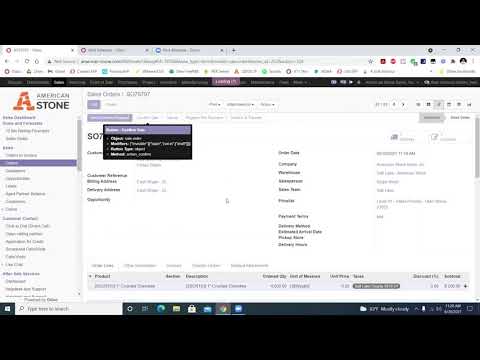
Doing an entire sales order from start to finish 1 A sales order is part of the process to complete a sale with a customer or contractor. The "quote" is the first stage. If there is a commitment on the quote then we can "confirm" that quote into a sales order. In general, this means that the customer has paid some or all the money towards this order. If this order is also leaving the building (either pickup or delivery) at the same time as the commitment was made for the sales order then we would move on to invoicing it. If the commitment was made, but the products are leaving later, either in pickup or delivery date, then we leave the sales order but invoice it later when the products leave the building. 2 Navigate to https://www.american-stone.com/web?#view_type=list&model=sale.order&menu_id=252&action=324 3 Click "Sales" 4 Click "Orders" 5 Click "Create" 6 Type in the customer making the purchase. If they are a new customer/contractor refer here: Contractor: Customer: https://scribehow.com/shared/How_to_create_a_retail_customer__UlvxmPRyQgWrp8bqhJb3AA 7 Click "Add an item" to add the product they are purchasing 8 Click on item 9 Enter the amount they are purchasing. Pay attention to the units on the item; lbs, sq ft, each, lineal feet, etc. 10 It should look like this. 11 Click "Save & Close" or "Save & New" if another item is being purchased. 12 Click "Save". This will create the SO and save it as a quote with a number associated with it. 13 Stopping here will create a quote. 14 Click "Confirm Sale" if they are immediately purchasing the product or putting a down payment. 15 Confirming the sale will create a Sales Order 16 FOR DELIVERIES OR DEPOSITS/DOWN PAYMENTS USE THE REGISTER PRE-PAYMENT OPTION. How to push through an order w/ a registered pre-payment:https://scribehow.com/shared/How_to_Create_an_Invoice_for_a_SO_w_a_Registered-Pre-Payment__FTGLec_MSua2ZjIYgDbvjA How to here:https://scribehow.com/shared/How_to_Register_Pre-Payment_and_Make_Manual_Payments_in_American-Stone__uRRDY95-RdCjUBDCJesMnw 17 Click "Create Invoice". 18 Click "Create and View Invoices" 19 Click "Edit" 20 Click the "Invoice Date" field. 21 Typing in "T" will invoice for that day. 22 Click "Transfer & Pay" 23 Click "Genius TSYS - (American Stone Sales, Inc.)" and select your specific store to sent the payment to the card reader 24 If the payment is taken through recurring billing, or through the virtual terminal, it will be a manual payment. This will not send it to the card reader but will register a payment in Odoo. How to here:https://scribehow.com/shared/Accessaccountdetails_Workflow__abPyQbNzTjuH8rF1hou9hw 25 If they pay in cash you can type in your store and it should pop up. 26 Validate the payment to send to card reader, or to show a manual or cash payment has been made. 27 Click "Save" 28 Click "Print" 29 Click "Invoices" 30 Print the invoice from this page because it includes our policies, this helps avoid confusion on return dates, restock fees, etc. 31 Once you hand the invoice to a customer, the sales order is done!


If an SO is invoiced and we have to make corrections how do we do that 1. Find the sales order that is needing to be fixed 2. Click "Invoices" 3. Click "Reset to Draft" 4. Click "Cancel" 5. Go back to SO order page 6. reset the SO to draft and cancel 7.Fix whatever is needing to be changed on the invoice. Ex: Amount of product that was taken, invoice date, salesperson, etc. 8. Click "Confirm" 9. Click and create a new "Invoice" 10. Click "Transfer & Pay" 11. Then make sure to reconcile the payment since it has already been paid for & any additional actions needed are made
This module covers the process for managing and fulfilling orders at VC. It includes guidelines for handling products that need to be ordered, pulled, drilled, or scheduled for delivery. Key points include: Order Handling: Products requiring special orders are noted, with most ordering tasks managed by salespeople and managers. The primary focus is on the “To Pull” Board, used for tracking orders ready for pickup, delivery, or drilling. Process for the “To Pull” Board: Orders are printed with a Sales Order (SO) that includes notes on pickup or delivery dates, special instructions, and other relevant details. This board helps organize and track the fulfillment process, including any special requirements and staging information. Delivery Board: Once an order is fully processed, the SO moves to the Delivery Board located in the cashier area. This board manages the final delivery logistics and ensures orders are prepared for the designated delivery date. Overall, this module ensures efficient order processing, clear communication of special instructions, and proper tracking of order fulfillment and delivery.
In this module you will learn how to register a pre payment for a sales order.
This is how to rent out the rental truck. Rental truck requires a 100$ deposit. Customer should fill up the gas to the same spot it was when they started the rental.
In this module you will learn how to look up pricing for a specific contractor.
Discipline one encourages you to pick one important wildly important goal, aka your WIG. You are able two pick two, but it's recommended to pick just one. While it’s hard to pick only one goal, it's necessary to eventually defeat the whirlwind. Leaders tend to want to add more goals to the list, but it’s counterproductive because focus is key to accomplishment. Humans are genetically hard-wired to do one thing with excellence. With your team and manager, you will pick a WIG and execute that WIG. To pick a WIG, first brainstorm all possible goals your team needs to complete. The WIG tends to be better and more successful when more creative possibilities are gathered. You WIG needs to be the most important thing your team deems that will make the biggest difference in your success. Make sure that the WIG you choose is a challenging but achievable goal. After you accomplish this goal, you can incorporate it into your day-to-day duties and move onto pursuing another one.
The third discipline is to make sure everyone knows their scores at all times, so they can tell whether or not they are winning. People perform better when they are keeping score. Everyone enjoys competition! As a result, this discipline revolves around the idea of engaging your team members to be their best. We encourage team members to be emotionally driven to win.
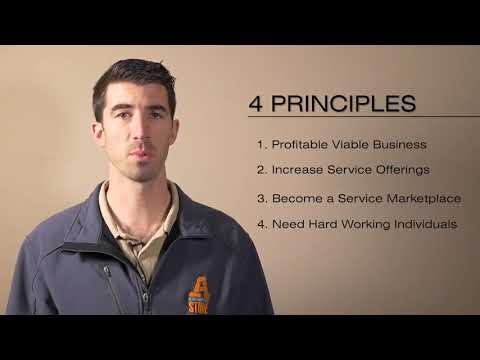
Keywords: vision, mission, orientation manual, natural stone products, beautiful spaces, living scapes, objectives, general objectives, profitable business, service marketplace.
Keywords: Lowdown document, company vision, vision, company history, history, company structure, stone types, stone, meeting schedule, job titles, Lucid, credentials, quarterly meeting.
American Stone, Retail stone sales, Manufacturing stone products, Stone maintenance, Corporate support services, Stone yardhands, Stone cashiers, Stone salespeople, Stone drivers, Inbound sales, Outbound sales, Sales pros, Utah stone locations, Vancouver Washington stone store, Idaho mechanic shop, Stone splitters, Stone production crew, Stone quarry operators, Oakley Idaho saw shop, Salt Lake saw shop, Quarry management, Stone production Salt Lake, Stone production Oakley, Human resources in stone industry, Accounting in stone business, Stone industry executives, Marketing for stone products, Retail career advancement, Manufacturing career advancement, Maintenance career advancement, Corporate office career growth, Stone yardhand to driver, Stone mechanic career, Saw shop positions, Stone splitter to operator, Quarry foreman roles, Tuition reimbursement benefit, Leadership training in stone business, Quarry management roles, Corporate office roles, Accounting clerk advancement, Intermediate accountant roles, Chief financial officer stone company, Human resources growth, Stone company managers, Dan Thomas president, Roger Boyd vice president, Johnny Prieto mechanic lead, Eric Ward production manager, Ismael Martinez PSL shift lead, Blas Ocampo PSL second shift, Fernando Rodriguez Oakley manager, Rex Larsen quarry manager, Alberto Castañeda assistant quarry manager, Toby Winchester GM Salt Lake, Jeff Moore GM Sunset, Michael Harhi GM Heber City, Jason Jeffs GM Vancouver, Cynthia VanBibber HR manager, Bev Thomas CFO, Jerry Thun controller, Alex Johnson accountant, Clarissa Thomas corporate admin, org chart, organization chart.
In this module you will learn how to browse the internet safely and learn about online threats and scams.
Lifting heavy items, workplace injury, shoulder injuries, back injuries, missed workdays, Bureau of Labor Statistics, overexertion, cumulative trauma, bending, twisting, turning, back injuries, strains, sprains, improper lifting, carrying heavy loads, manual material handling, smart lifting practices, back sprains, muscle pulls, wrist injuries, elbow injuries, spinal injuries, safe lifting techniques, material handling, lifting stages, preparation for lifting, load planning, mechanical means, hand trucks, personal protective equipment, safe handholds, lifting techniques, proper posture, carrying techniques, setting down techniques, fatigue prevention, push vs pull, power zone lifting, manual lifting hazards, weight of objects, mechanical assistance, ramps for heavy items, power zone, order smaller quantities, limit weight to 50 pounds, two-person lifting, awkward postures, bending and lifting, back stress, muscle fatigue, store materials at power zone height, truck bed roll-out decks, high-frequency lifting, long-duration lifting, muscle recovery, rest breaks, job rotation, teamwork in lifting, inadequate handholds, handle-free boxes, grip tools, protective gloves, contact stress, lifting tools, environmental factors, extreme temperatures, low visibility, proper lighting, material handling safety, dehydration prevention, heat stress, cold temperature hazards, safe lifting
This shows you how to create, organize, and utilize projects and tasks for work.
Keywords: Health Insurance, dental and vision insurance, vacation pay, mobile line plan, bereavement leave, Future Plan 401(k) plan, Benefits, MedShopper, telemedicine, Legal Shield, employee discount, health insurance.
Keywords: Allstate health insurance, health insurance eligibility, High-deductible health plans (HDHP), HSA, Health Savings Account Contributions, Employee health insurance enrollment, Dental and vision insurance options, Allstate Plan 3 vs. Plan 4 comparison, Health insurance coverage details, Preventive care covered 100%, Health insurance qualifying events, Health tax benefits, co-insurance percentages, Out-of-pocket maximums for health insurance, Coinsurance percentages, Employer-sponsored insurance, Dental insurance immediate coverage, Vision insurance paired with Dental, Medical expense tax deduction, Health insurance open enrollment period, COBRA continuation coverage information, Group health insurance pricing updates, premiums, PPA preferred physicians.
Keywords: Eligibility, enrollment dates, 401(k) retirement, employer contributions, early withdrawal, hardship exceptions, rollover form, Future Plan login, loan.
Keywords: LegalShield, IDShield, Commercial Driver's Legal Plan, CDLP, CDL, identity theft protection, legal protection, DOT violations, overweight citations.
LegalShield, IDShield, CDLP, CDL, protección contra robo de identidad, protección legal, infracciones DOT, multas por exceso de peso.
Review the product guide in external links at the very bottom of this page, and answer questions about what you've learned.
Thin Stone Veneer is pure, natural stone cut into thin flats for making surfaces uniquely beautiful. Thin Stone Veneer maintains the natural beauty and texture of the stone just as it was when it came out of the earth. We trim off the back side of the stone making a thin strip for easy and uniform installation. Simply put, it’s a thinner cut of building stone aligned into an array of patterns to achieve a wide variety of looks. See external links. Alpine = mosaic Castlerock = builders Promontory = anything with a sawn edge Sawtooth = natural ledge Wasatch = squares and recs
Goal: Intro to Systemology and the CCF Systemology is a course that teaches about how to identify and improve systems within a business. A system is a series of steps that, when followed, produce a predictable outcome. Some examples of systems are a morning routine, working out, and eating. In this course, you will learn how to identify the systems in your workplace, find the areas where they are not working well, and make improvements so that the systems are more efficient and effective. The goal of systemology is to create a business where all the systems are working together to produce the best possible results for the company and its employees.
This guide provides detailed instructions for installing and configuring a softphone application on an iPhone. It is intended for end-users or IT staff assisting with VoIP/telephony setup
This guide walks you through selecting, installing, and configuring a softphone on your Android device.
In this video, I walk you through the process of setting up a subdomain on Bluehost, including how to access your account and manage domain settings. I provide examples of existing subdomains and explain how to create a new one that points to a hosted site, specifically for our Odoo test database. I also highlight the importance of adjusting the IP address and managing load times effectively. Please make sure to follow the steps carefully and let me know if you have any questions!
How To: Maintain the Marketing File Structure for a Monthly Marketing Campaign
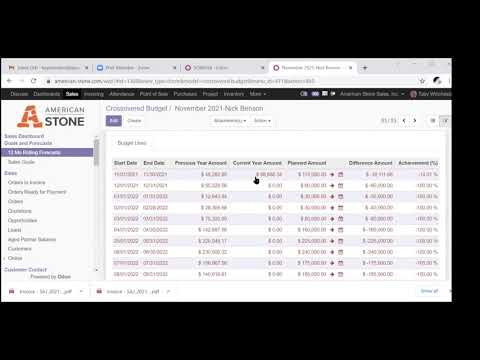
Here we see how to forecast sales, or “12-month rolling forecasts.” These are due every month, by the first day of the month. Management looks at a staggered forecast report that shows how the forecasts have changed, from one month to the next for the entire year. And they can see how a department actually performs and compare this to the forecast numbers. And where we see we’re really off, we can adjust in the future so we can predict better. It’s important to be able to keep forecasts accurate. This way we can know what our cash flow is and make good decisions, for example, whether we need to hire another salesperson, or whether we need to raise or cut budgets. We’re starting with a new salesperson in this video. Randy has been with the company for 2 months, and so his sales numbers and predictions will be a lot more volatile. In Odoo, you’ll go to Sales … 12 Mo Rolling Forecasts. You can either use the default filter, with which you’ll only see your own forecasts, or search by salesperson for someone else. If you’re new, you may need to rely on others’ numbers to make an educated guess, particularly about the fluctuation in sales volume over the year. In the video, for Randy, you’ll see that for each month Randy has forecast for both American Stone and Star Stone since he will be making sales for each company. Here you’ll see we made an educated guess. Randy we predicted would make $15,000 in sales as a new sales pro in November. As contractor sales kicked in, in December and January, we believe his sales would hold at $15,000. We predicted sales would start picking up starting in February. In this example, we open the November report, and then for the next month, December, we duplicate the report so you don’t have to start completely over every month. Just update the start and end dates. The title will automatically update. Since this is a 12-month rolling forecast, you should have complete the upcoming month, until the current month you are in, for next year. After you’ve built up sales for a year, you can have last year’s numbers to work off of. And after you complete the new month, you can delete the oldest month from a year ago, and keep only 12 line items, one for each month. Click to add a line, enter the new start date (first day of the month) and end date (final day of the month) on the row (first two columns), and DO NOT HIT TAB. Your screen will lock up and you’ll have to start over. You need to click to advance to the field where you’ll enter to update your forecast number. Watching the video, you’ll see how Toby guesses the seasonal increases and decreases in sales. Forecasting is not a sales goal. This is not a stretch goal, or what you want, this is the money that you think will come into the company. If we have a huge anomaly in the last December, say, where we had a $40,000 sale, you don’t need to match the record for the following year, simply because you want management to look favorably on your numbers. It’s more important to be accurate. While your sales forecast is somewhat a guess, particularly for a new salesperson, it’s less so when you are working with customers and know with some level of certainty what will come in. Think about the jobs you’ve got in the pipeline, what the timelines are, and what the likelihood is of them going through. You can and should change this any time there’s a change. Examples include you’ve earned or lost a big job, or a job got pushed back or up. You’ll enter anything that will affect your numbers. In the video, we see on Nick Benson’s 12-months forecast, that Toby updates the forecast from $110,000 to $115,000 because while there are only 4 days left, Nick’s current sales are close to the forecast, and he has a new job that’s come in that he believes will update the forecast. To make the change, you’ll click the arrow next to the right of the forecast figure, and in the pop-up, enter the updated amount in the Planned Amount field, then click the Update Forecast button. Automatically a note at the bottom of the page will register that you made the change. Finally when you have all of your months done, you’ll come up with a yearly number. So, now click Save, and then you’ll confirm. You can also look at forecasts as a way to figure out what you want to make personally. You’ll look at the total sales you’ve forecast over the year, take the average margin, and then you can come up with what you’ll make. If this is a lower number than you want it to be, you can estimate more, but then you’ll need to work backward to figure out what you need to do to make those sales.
The prerequisites to this course are Day 1 and Day 2. If you have not completed these, please do so before you get started on Yardhand 101. Links to these two course are in the External Links.
Yard Hand checklist
- Daily Opening:
- Clock in within Odoo (or the Public Login).
- Open The front Gate.
- Clean the Scale
- Inspect the Equipment.
- Make sure that the deliveries are pulled and the first deliveries are loaded.
- Primary Duties:
- Assist any customers, greet them and get them to a salesperson if needed.
- Cleanup Rows: Start with the first pallet (SE corner) and snake your way through the yard. You should be able to fix every pallet every day.
- Straighten pallets and make sure they are on the line and able to be walked around.
- Consolidate Pallets less than 1000 lbs together.
- Remove chips from pallets and ground, palletize into landscape chip pallet or place in Crusher Pile.
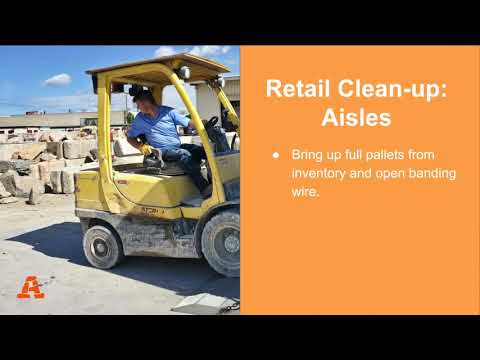
- Bring up full pallets from inventory and open banding/wire.
- Remove banding wire from any other pallets.
- Check the fountains and bubblers to make sure the water is full and the pumps are working.
- Check signage: Get a new one if needed, make sure it’s visible to customers.
- Maintain bins. Make sure gravel did not fall behind or leak to other bins. Clean off rock on concrete sides.
- Weed eat, pull and/or spray any weeds or grass in rows. Prune shrubs and plants. Spray Roundup on ½ the yard (or where applicable) Mow the front lawn. Blow the pavement. Water grounds.
- Clean up spills and trash throughout the day. Check the bins for trash too.
- Maintain boulders.
- Maintain Displays, Walkways and Patios.
- Pick up rock around features. Fix loose rocks.
- Make sure the dumpster is not over flowing. Smash it down if needed.
- Turn bark. Hose down bark. If applicable
- Closing
- Park equipment in the correct location. Place all the equipment in the Saw shop if it is Cold or raining.
- Close and lock the gate if you are the last one.
- Clock out in Odoo (or using the Public Login).
- Monthly
- Clean out under the scale.
- Pressure wash equipment.
- Clean out the Sold/Hold section (also called "Will Call").
Stacking Pallets / Presenting Pallets to Customers
Learn how to stack a stone pallet, how to load a hopper, and how to keep bins clean so you can easily drive a forklift into them.
- When you're stacking a pallet, you want to start with the perimeter, and make sure nothing is hanging off the edges.
- Then you'll fill in the center. As you're laying the rock down, be sure to bend at the knees to protect your back. Lift with your legs.
- When you lay down each layer of rock, stagger, or straddle rocks so each is supported by two or three rocks.
- Avoid stacking the pallet where you have runs of rock that run vertically one on top of the other, because this could make the pallet liable to topple.
- Stack the pallet until it's waist-high.
- When you're restocking new pallets, remove the chicken wire so the customers can access them.
- After you cut the chicken wire off a pallet, take it to the designated area.
Loading the Hopper / Trucks Loading
The hopper is great practice for loading trucks.
- You want to make sure you're close enough to get in, but not so close you hit the edge.
- In the video we see how our driver got close to the hopper but didn't touch it so he wouldn't damage it.
Keeping Bins Clean
Eddie presents a bolder bin in the video.
- We lift the boulders with a forklift, and so all of the debris and loose gravel will get in your way and make it harder to get a forklift in the bin.
- Whenever you have downtime, you can grab a hopper and start cleaning up to make your time easier, when you want to get at the boulders.
Wheel loader, front end loader, bucket loader – different names, same type of machinery.
How to operate a Komatsu WA270 wheel loader.
- This particular Komatsu WA270 has an operating weight of 28,164 to 29,299 lobs, a horsepower of 149@2000 RPM, and a bucket capacity of 2.5 to 3.5 square yards.
- You'll make sure that you have three points of contact when you get into the loader.
- Be sure to lock the door all the way open. While you can leave the door open, it's recommended that you close it.
- Next you’ll put on your seatbelt. Start the equipment and make sure there are no warning symbols.
- They controls are similar with different brands of wheeled loaders. Adjust the seat so that you are comfortable.
- This particular loader has a steering wheel (which is typical) that you will manage with your left hand, and with your right hand you will be operating the joystick tool-control, for your boom and bucket control. Larger wheel loaders may have a second joystick and the left hand instead of the steering wheel.
There are two ways to shift the Komatsu wheeled loader.
- To the far right is the controls to adjust which configuration of shifter you’ll use, the left or right shifting options.
- For the right configuration there’s a button on the joystick that sets to forward, neutral or reverse.
- There’s also a shifter on the left side of the steering column; pushing it away from you is “forward,” and away if “reverse.”
- Typically Randy teaches new operators to shift with the left hand option, so that the right hand can be dedicated to tool control. But a more advanced operator might do everything with the right thumb.
- Also on the right by the shifter configuration are the traction controls. Randy has this set to automatic, a good configuration that will prevent your wheels from spinning.
- You'll be able to tell on the display what your traction is set to. “Max” would put a lot of traction on your wheels and could mean spinning will occur.
- The red switch is a lockout lever, which will configure the joystick to where it no longer works.
- On the Komatsu loader there’s a back-up camera.
- The right blue buttons are climate control, and buttons below on this keypad allow access to a menu.
- On the left there's an auto ride control that allows the boom to ride less stiff.
- There are also light switches on the left.
- Also on the left, there is a switch to allow you to operated the the bucket quick-connect so you can switch out different attachments and accessories.
- When you operate steering wheel, you can grab a hold of the knob on it. The steering wheel doesn't turn wheels, the entire machine pivotes.
- The cap pivots to the left with a clock-wise turn, and to the right with a counter-clock-wise turn.
- Even with the parking break out, the steering column is live.
- There are speed settings — 1, 2, 3, and 4 — on the left shifter, and you’ll usually start out at two.
- On the right side of the steering wheel there are wipers and lights.
- The red switch on the dash is the parking brake, after you turn it on, the red P on your dash will light up.
- If you try to put the machine in forward, it will not go anywhere, but will rather beep if the parking brake is on. Keep the parking break on until you’re ready to drive.
- On the floor are the gas petal to the right and there are two break pedals, a right and a left one.
- Randy generally teaches new operators to use their left foot because that’s what’s typical in a car. An advanced user could use both because there are different techniques one can apply some power going in and then also apply some break.
- When you pull back on the joystick the boom with start to raise.
- Most wheeled loaders have an auto leveler that curls the bucket away and this way material doesn’t fall out the back.
- If I move the joystick to the right, it will dump the bucket. And moving the joystick to the left will “close” or curl the bucket back, stopping a dumping action, and right hand forward brings the bucket back down.
Driving
- When you’re driving you need to be sure the boom and bucket are in the driving position, which is down below the dashboard a few feet off the ground. Of course any higher and you can't see over it. And too low will mean that you could drag it.
- While you could have the bucket uncurled to make it ready to work, you could also risk unintentionally catching things as you drive, and so Randy recommends to have the bucket somewhat curled up.
- Now you’re ready to turn the parking break off. Shift in forward. If the loader is in auto traction control, and you take your foot off the gas, the machine will stop in its own.
- When you stop, stop with your foot, and shift it into neutral, and then put it back in forward.
Scooping
- Before you scoop, you want to be lined up to drive in straight and level and horizontal with your bucket.
- As a new operator, you’ll notice that you really can’t see your bucket, and so how do you know whether you have it set correctly? It’s really judging by looking at the lines at the top of the wheeled loader, you’ll see a straight line on the bucket that will give you an indication of what the blade angle is.
- If you’re too open you’ll dig a trench in front of yourself, and of course, too curled up, you can’t get at the product correctly.
- When you uncurl the bucket you can lower it all the way to the ground, and then pick it up to around 6 inches above.
- To actually fill the bucket, you need to drive into the material and then at the point your bucket is full, you’ll add a little bit of curl at the same time.
- Wait before you back up, you don’t want to raise your bucket any higher because you could be top-heavy. You want to be “low and tight.” If you have the bucket up, you could tip.
- You’ll start to back up and bring your bucket down and curled up into the driving position, generally right below the dash.
- Drive to where you want to dump it. Be sure upon dumping that you’re lined up straight again because this is a lot more stable.
- You can start to raise up your load slowly as you approach. You’ll need enough room to clear your dump. Your bucket will come down about 3 or 4 feet as it tips forward.
- If you’re dumping onto a mound of dirt or decorative rock, you’ll be sure not to drive up onto the mound.
- After dumping, curl back or “close” the bucket.
- On this particular wheeled loader, when you move your joystick all the way to the left, you can set the curl-back to a particular angle, so that when you’re doing multiple loads, you can have it preconfigured to return to a “dig” setting (level bucket).
- Then, as you back away, you’ll bring the bucket down. If you’re too uncurled or low when you’re carrying product, you can lose your load.
Smoothing Ground
To smooth ground, you work with the weight of the bucket.
- You’ll disengage the hydraulics to the boom by pushing the joystick forward. This is also referred to as “putting the bucket into float.” You can still curl and uncurl the bucket, but the boom is disengaged in this setting.
- Your first option is to set the bucket down flat. You don’t want to smooth moving forward, only back.
- To smooth rougher ground, you’ll have the bucket curled forward. In any case, you’ll want to be sure you’re not picking up the machine with the boom, but only setting the bucket gently on the ground, but in a more open position.
- Here the smoothing process is almost like a dozer blade.
- When you’re ready to stop, you won’t simply engage and raise the boom. You’ll engage it and keep backing because there’s likely dirt or product behind the bucket that you’ll want to slowly smooth out to give an even finish.
Parking
- Rest your bucket flat.
- Disengage the joystick controlling the bucket with the lockout button.
- Put your parking break on.
- Verify you see the red P on the dash.
- Take off your seatbelt and slide your seat back.
- Turn your machine off.
- If you have a door, be sure it’s locket in the open position.
- Use three (3)-point contact when exiting.
To see all of the loaders we have in American Stone and Star Stone, within Odoo, in the upper black, "primary" menu, select "Fleet," and then in the secondary menu "Vehicles." In the search bar, type "loader."
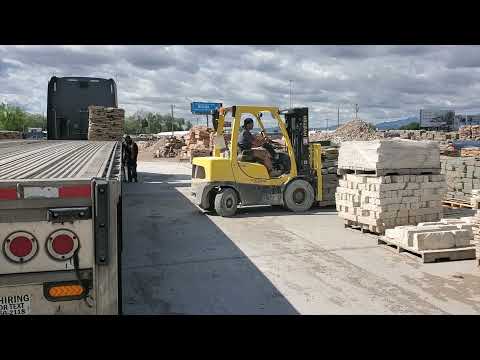
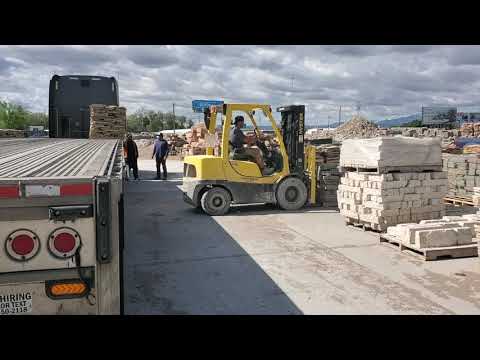
You should check your forklift at the beginning and ending of your shift.
Here is a checklist of everything that you should check before operating, safety hazards should you be aware of, and refueling precautions. We have created an Equipment Checklist and Forklift Checklist on Google Drive you'll see by this name in the External Links.
PRE-OPERATIONAL SAFETY CHECKS
- Check brakes, lights and horn before use.
- Ensure seat belt/safety restraint is in good condition.
- Know the capacity of the forklift or lift truck before using it.
- Do not use a forklift without a load rating plate.
- Always remember the Safe Working Load of a forklift reduces as the mast is tilted forward.
- Ensure that the lifting forks are in sound condition and centered either side of the mast.
- Check tire pressures.
- Never drive with a flat or under-inflated tire. Faulty equipment must not be used. Report any faults immediately.
OPERATIONAL SAFETY CHECKS
- Do not use engine-powered forklifts in poorly ventilated areas.
- Always be on the lookout for pedestrians.
- Do not allow any person to ride on the forks.
- Ensure that the lifting tines are secure into the pallet and the load is stable before lifting or driving off.
- Be careful of ceiling clearance or overhead obstructions when raising the mast.
- Do not lift a load with the mast tilted forward.
- Always put the heavy end of the load against the load backrest.
- Never travel with the load elevated as it restricts vision.
- When approaching a blind corner, use horn and drive slowly.
- Always have someone guide you if a load restricts your vision.
- Slow down when changing direction or on wet or greasy surfaces.
- Do not travel with forks raised or reach mechanism extended.
- Avoid harsh braking, especially when carrying a load.
- Do not attempt to turn on an incline or sloping surface.
- Do not leave forks elevated when forklift is unattended.
- Do not dismount from a forklift while the engine is running unless the transmission is in park position and the parking brake is effectively engaged.
When stopping the forklift:
- Park on even ground and lower the forks to the ground.
- Shift the gear selector to park position and apply the parking brake.
- Turn off the ignition and remove the keys.
REFUELING & BATTERIES
- Do not refuel an engine-powered forklift unless the motor is stopped and ignition turned off.
- For gas powered vehicles change gas bottles in a well-ventilated area clear of a naked flame or source of ignition.
- In the case of electric vehicles wear protective eyewear and gloves when checking batteries and handling electrolyte.
ADDITIONAL RESOURCES OSHA etools
- Power Industrial Trucks https://www.osha.gov/SLTC/etools/pit/assistance/ Safety and Health Topics Power Industrial Trucks-Forklifts https://www.osha.gov/SLTC/poweredindustrialtrucks/ Power Industrial Truck Operator Training-FAQ https://www.osha.gov/dte/library/pit/pit_q-a.html Free ANSI Forklift Standards through ITSDF Industrial Truck Standards Development Foundation http://www.itsdf.org/ Utah Safety Council (Check on membership benefits, including free training and video streaming) http://www.utahsafetycouncil.org/content/Default.aspx