MKT 277 Digital - Leads to Opportunities
*Updated in June 2025
Website leads, as of Odoo version 17, come from multiple locations on the website. Due to these variations in Lead forms that are filled out, we also receive both leads and opportunities. The following steps will describe each technique in detail. If you are asked to process leads on any given day, this means you will be asked to make sure the leads are converted to opportunities, given to the responsible party for the given store, and inform the store that they have a lead so one of the sales staff can start working the lead.
It is essential to "run" online leads every day. This should be done first thing in the mornings, on busy days it may be beneficial to check in on leads so nobody gets overwhelmed.
The following step by step procedure will guide you through the process:
The first kind of lead are the ones that automatically show in the CRM pipeline. We will start with these leads because they are the easiest to find.
On the main screen, find your CRM Icon:
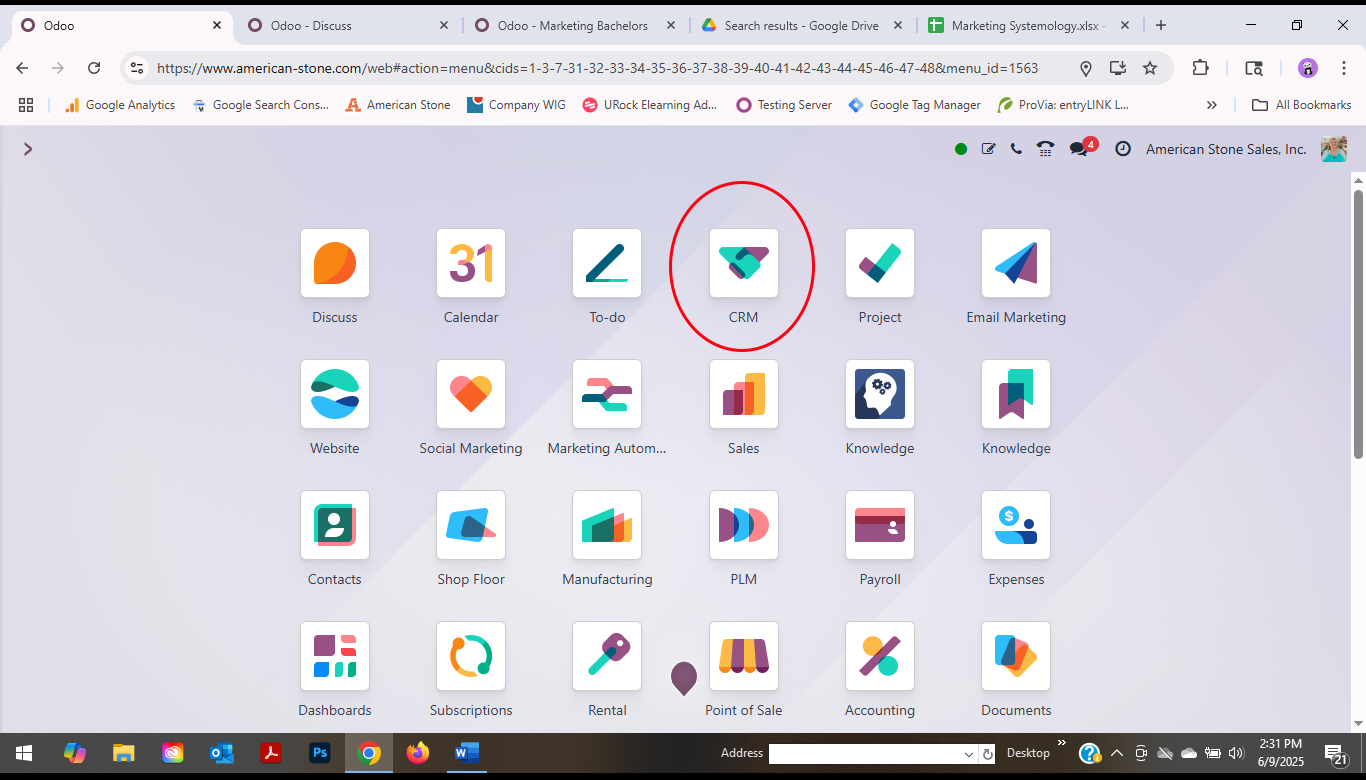
It is very easy to click the X on “My Pipeline” to get into the main pipeline.
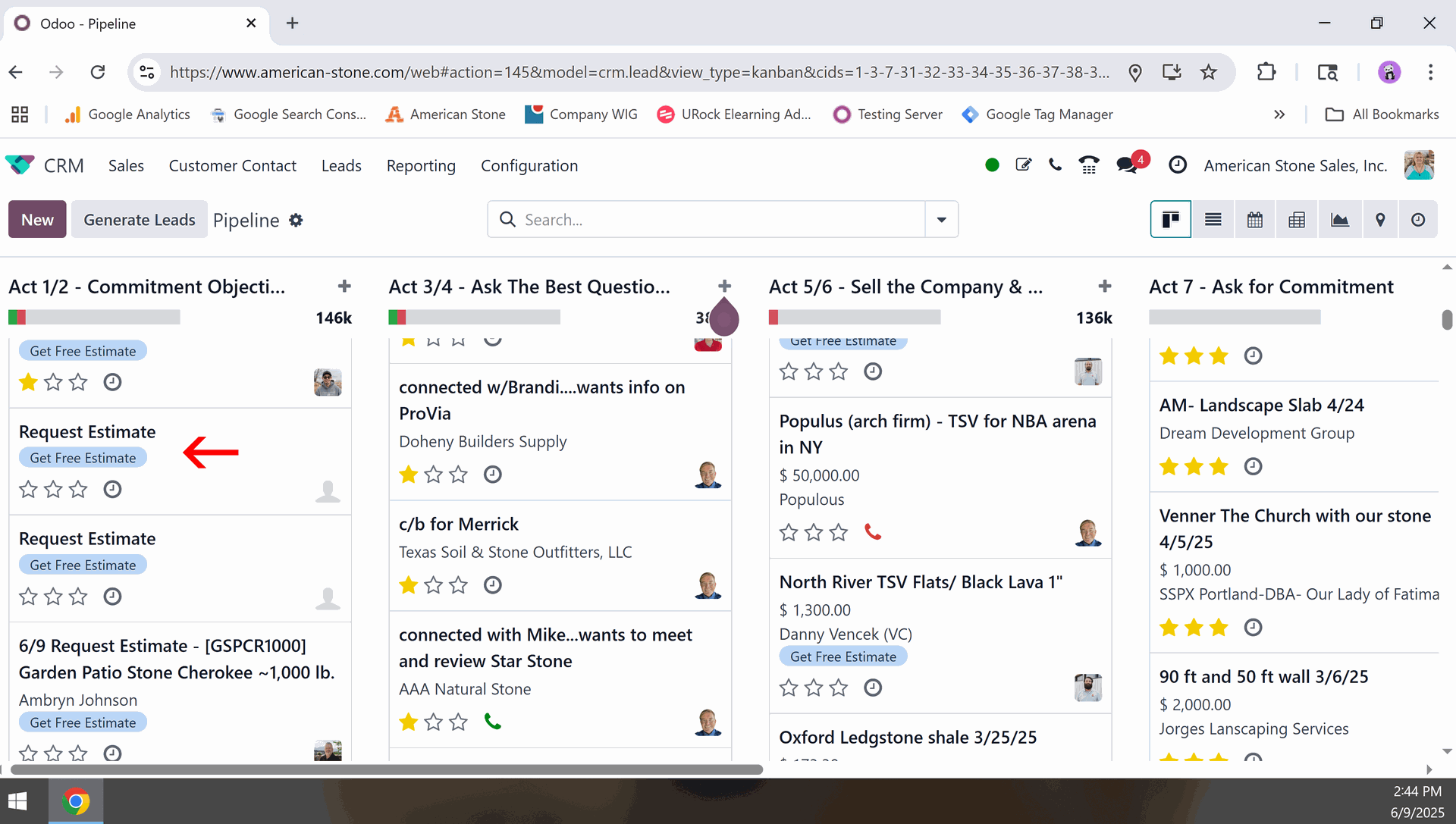
The main pipeline is where all the opportunities are. They are set in multiple levels in the pipeline. You are looking for leads that have not been started and are characterized by the title of Request Estimate without an assigned salesperson.
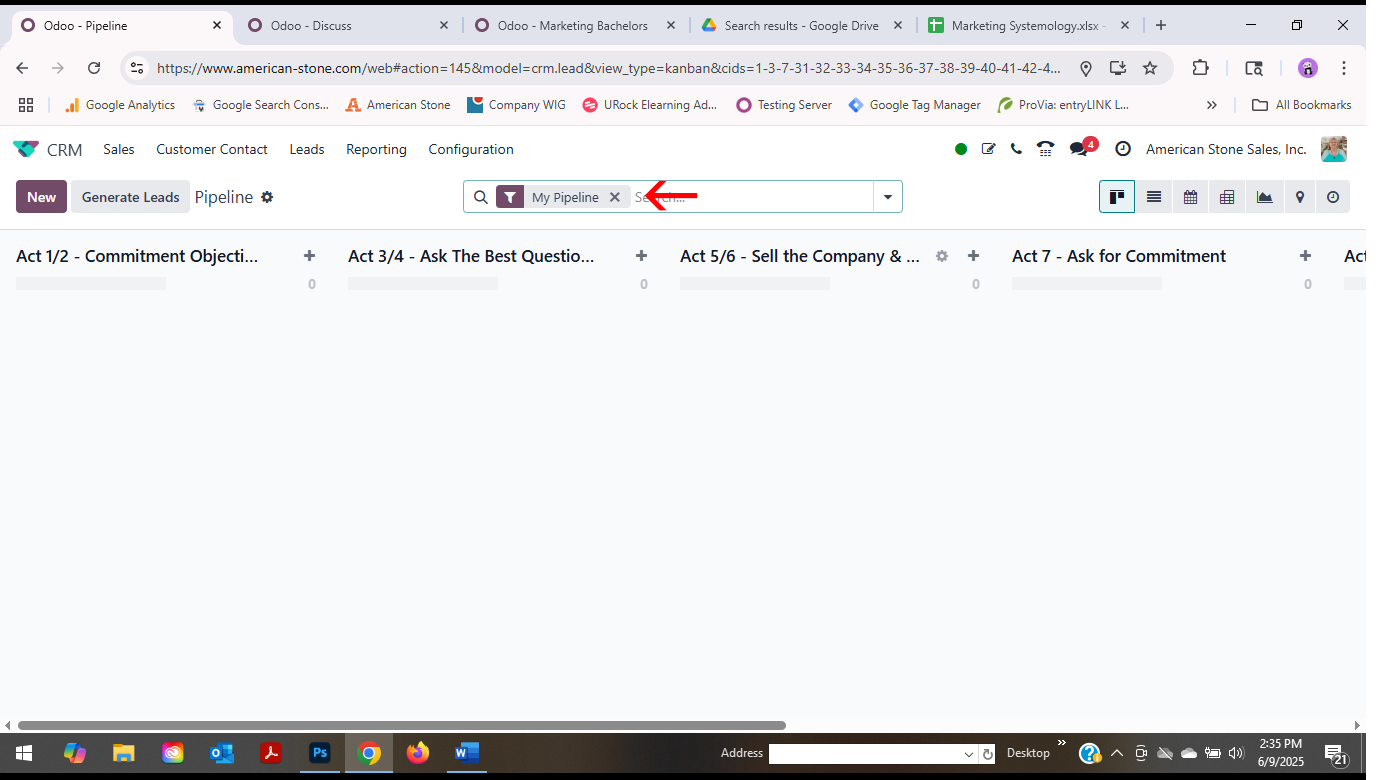
Click on the request estimate to open the information.
The first step is moving some information around.
Under the TAB you will contact Name on the right-hand side. Copy and Paste near the top in the Customer.
Click on the request estimate to open the information.
The first step is moving some information around.
Under the TAB you will contact Name on the right-hand side. Copy and Paste near the top in the Customer.
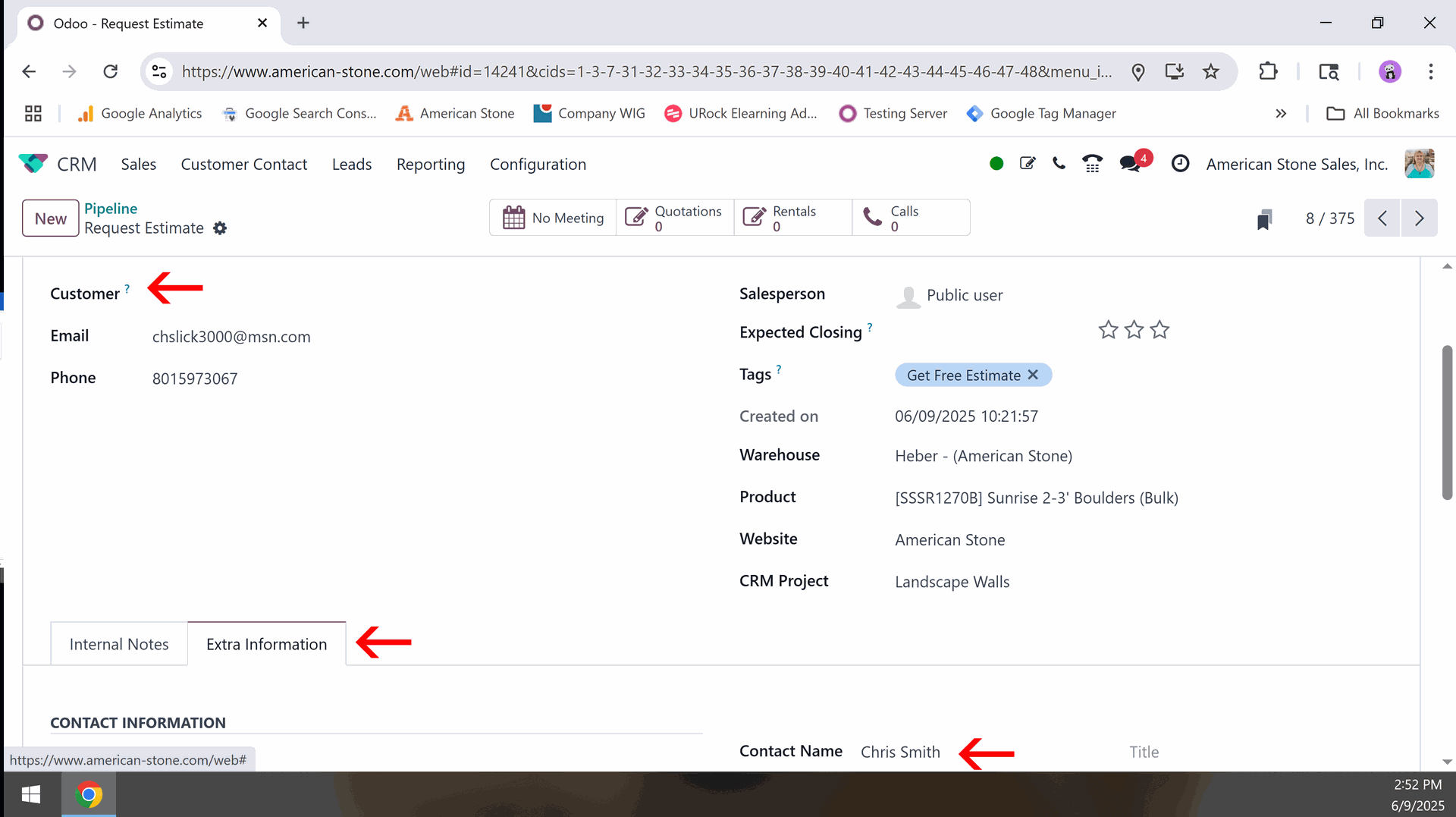
Locate the tag “Warehouse” on the right-hand side and find the warehouse the lead if for.
Under the salesperson’s tag you will put the GM or Assistant GM of that warehouse. Example.
SL goes to Chris Freeman
SN goes to Jeff Moore
HB goes to Michael Harhi
VC goes to Jason Jeffs or Kari, sometimes Jason forgets to assign these so ask Kari Jones to assign them.
We will discuss in a moment how to let the sales team go in and change the sales name to their own.
All Leads are documented for KPI research. This is done on the “Marketing KPI Worksheet” there is one for every year on the G-drive.
Find the Tab with the current month’s KPI information.
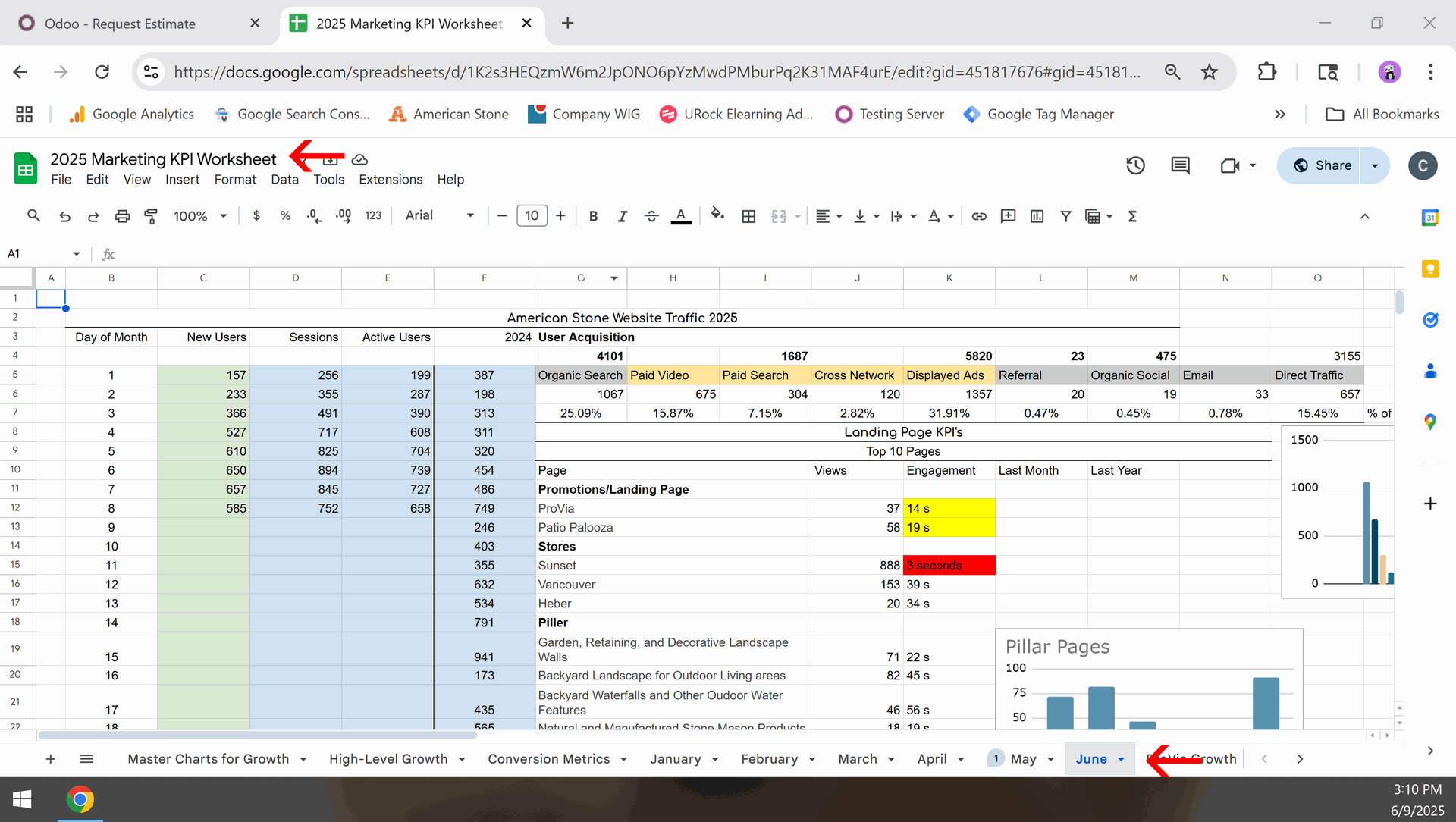
Scroll down this page until you find the current documented opportunities
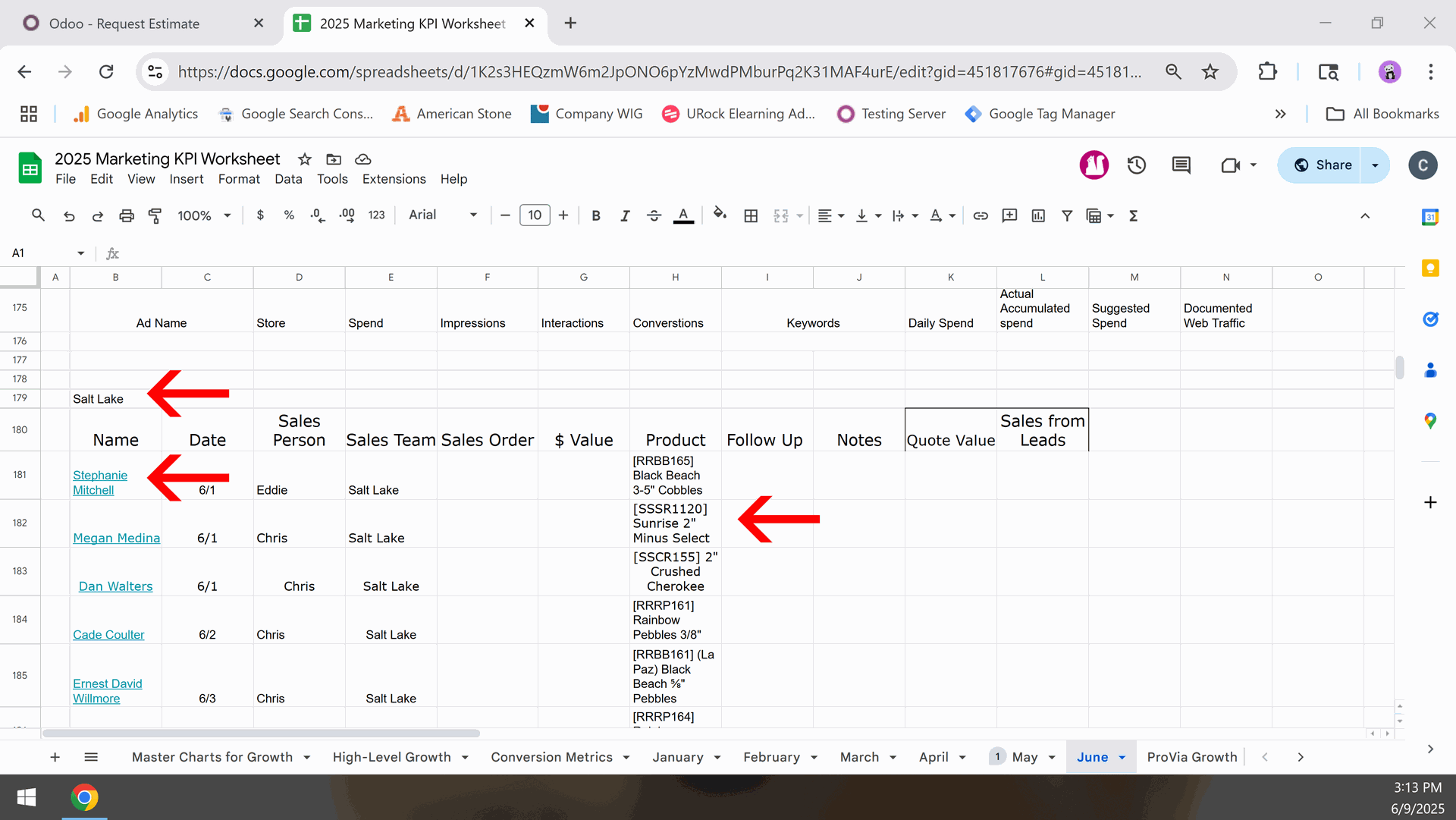
There are sections for each store, ie. Salt Lake, Sunset, Vancouver, and Heber.
Find the store you are posting for. Fill in the Name, date, sales person can be empty or just the GM and then the product, which comes from the Odoo request page.
You will notice that the name is a link. This is the link to the actual lead so we can track progress. Just copy the link url from the lead and then on the sheet you need to highlight the name and select insert -> link.
That finished up the marketing worksheet. There are only 2 things left to do.
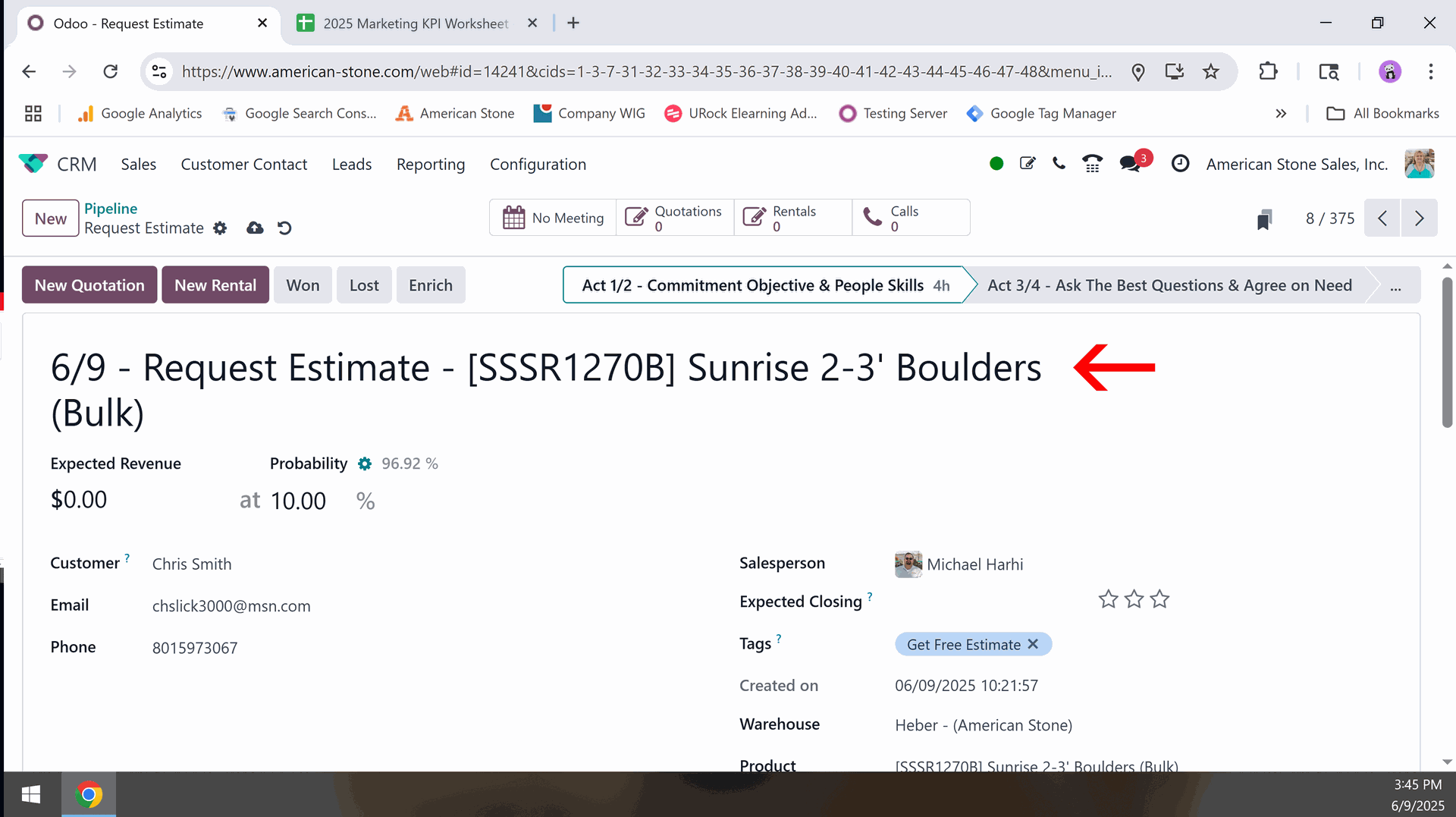
Change the title from Request Estimate to {current date} / Request Estimate / {product}
Informing the store GM and sales staff. Each store has their own way of assigning leads to store staff, so that we can make it as consistent as possible the following has been set up.
Go to your main discussion page in Odoo.
- SL store and a chat called “Salt Lake Sales Leads” all sales people are included in this chat as well as Toby and Chris (Supervision at the time this was written).
- SN store, we post the lead in the chat under Sunset Sales Leads. The exception would be Western Interlock leads. All of those go directly to Jeff Moore
- VC store, leads usually go to Jason so he can determine who the best sales person is.
- HB goes directly to Michael Harhi
How To: Convert Web Leads to Opportunities
There are no comments for now.
to be the first to leave a comment.Responsible: Christy Smith
System Champion: Michael Harhi
Knowledgeable Worker: Jason Jeffs